Customer
Creating a new Customer
- Navigate ro the Main Menu of the app. Click the Customers section dropdown and click Create.

- Input the customer information. Name / Phone / Address / City / State / Zip Code
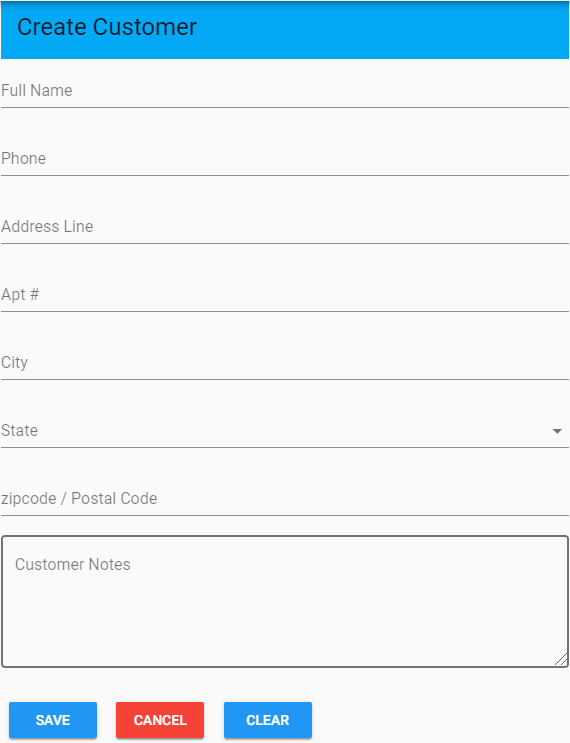
- Click Save to create a new customer.
- Navigate to the Main Menu of the app. Click the Customer Section Dropdown and click Search.

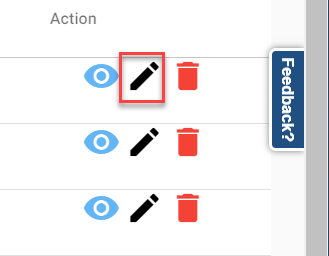
- Click on the Pencil Icon to the right of the Customer of your choice.
- Update the Cusotmer's information and click Update to save the update.
Deleting a Customer
- Navigate to the Main Menu of the app. Click the Customers section dropdown and click Search.
- Click on the Trash Can Icon to the right of the Cusotmer of your choice.

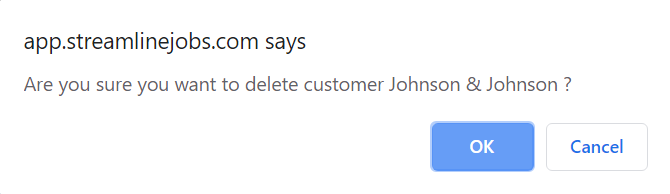
- When a prompt pops up asking you if you are sure you want to delete the cusotmer, click okay.
- Navigate to the Main Menu of the app. Click the Customers section dropdown and click Search.
- Clisk on the Eye Icon to the right of the Cusotmer of your choice.